Record the whole instruction
Capture the complete spoken or displayed line, the current room, the previous task and what action you took. “It did not work” is not enough to distinguish a wrong verb, missing prefix, timing issue and software fault.
The developer lists WASD, Space and C. The transcript index also distinguishes look and touch tasks. We have not measured a universal input window, sensitivity requirement or camera tolerance.
Sources: MOONBIT: official Suzy Says! listing; CatPlay: Suzy Says! playthrough
Match the action to the task
Start by checking the prefix and verb in the complete line. A familiar object can receive a different action later: the first fridge errand says look, while later rounds can ask for touch. A rejected glance at a touch target does not establish an input bug.
For touch, approach until the object’s mouse prompt is visible and use that interaction. For a jump, check whether Suzy named a coloured pad or a piece of furniture. For a look instruction, direct the camera at its named target. These distinctions are visible in the reference recording; exact timing and camera thresholds remain unmeasured.
| Task | First thing to check |
|---|---|
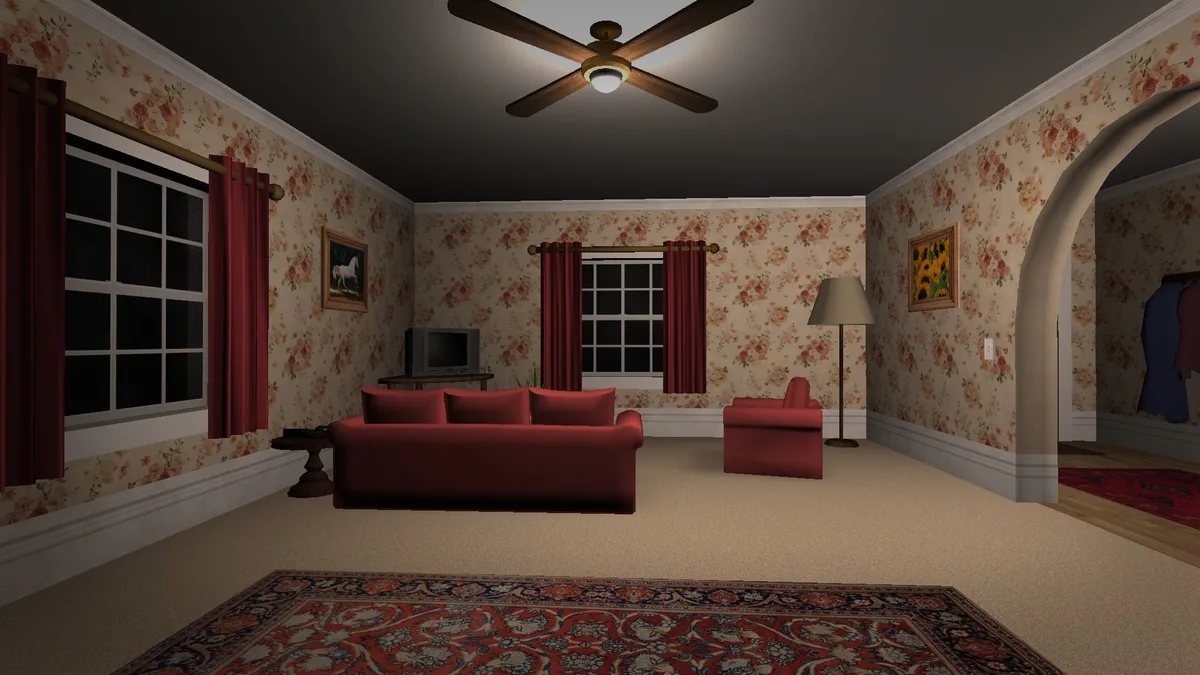
| Sunflower painting | The yellow flower picture is in the living room. Touch needs its prompt; look uses the camera. |
| Rubber duck | Use the yellow duck on the bathroom tub rim, then return; the recorded task does not require carrying it. |
| Fridge drawing | Use the paper on the kitchen refrigerator door. Preserve the current line’s verb. |
| Hiding | The reference player crouches beneath the kitchen table and waits for Suzy’s completion response. |
| Candle delivery | After placement, the candle stands on a coloured mat circle. Fill all four circles; do not keep clicking the TV. |
Sources: CatPlay: Suzy Says! playthrough
Dark transitions or a stuck game?
Successful footage includes a dark transition during the phone sequence, a dim search scene and a black space at the main conclusion. Identify the surrounding event before labelling every dark screen the same fault. In CatPlay’s run, the phone dialogue starts around 9:08 and ordinary play resumes after the interruption.
A player on the official comments page instead describes a black, silent screen that remains after the call. That report is useful evidence of a symptom, but this guide has not reproduced its cause or a repair. Record whether sound continues, whether the view responds and how long the state lasts, together with the last completed objective.
The secret radio route also deliberately changes the bedroom TV to an ERROR screen. In the reviewed showcase, approaching and using that screen retrieves the DVD. That in-game response should not be confused with an operating-system error or a game-launch crash.
Sources: CatPlay: Suzy Says! playthrough; RUSH PLAY: radio code and ending showcase; Player reports on the official game listing
An unexpected DVD objective
An official-page player report describes later-game tasks or a DVD-breaking objective appearing unexpectedly when replaying. Separately, footage shows a successful disc-breaking branch. Those two observations do not establish that every early snap prompt is intentional, nor that every such prompt is a bug.
When comparing a replay problem, note whether you finished a story route before, which menu icon you selected and whether you loaded the basic or Full archive. Do not use a different uploader’s prior completion state as evidence for your own save. No save-deletion or reinstall reset has been verified here.
Sources: Player reports on the official game listing; FusionZGamer: Suzy Says! playthrough
What the patch confirms
MOONBIT’s launch post explicitly says a wrong subtitle towards the end was corrected. That is narrower than fixing every input, audio or black-screen issue.
If your displayed instruction conflicts with the audio, record both and check the official download and development log. We have not verified a build number for each archive.
Sources: MOONBIT: Launch (And Patch); MOONBIT: official Suzy Says! listing
Separate the symptoms
Player comments are leads for investigation, not confirmed bugs or guaranteed fixes. Keep the following categories separate when you report a problem.
| Symptom | Useful evidence | Fix status here |
|---|---|---|
| Command rejected | Exact line, action, target, stage and language | No reproduced fix. |
| Black screen after a phone event | Last visible frame, sound, response to input, duration | Not reproduced. |
| Dark screen during hiding | Exact chapter and surrounding events | Do not assume the same issue as the phone report. |
| Candle placement problem | Item carried, target, action and feedback | No verified workaround. |
Send a useful report
Use the developer’s official game page when seeking help. Include the archive filename, download date, Windows version, subtitle language, exact stage and reproducible actions. State whether the problem happened once or repeatedly.
Preserve your saves. This guide does not recommend deleting game data, switching off antivirus software or downloading unofficial repair tools. We have not verified reinstalling as a reliable reset or repair.
Sources: MOONBIT: official Suzy Says! listing; Player reports on the official game listing
Sources & evidence
Checked 15 November 2026. Game build numbers were not verified. No hands-on game testing is claimed. Video evidence means transcript and task-sequence frame review, not continuous viewing of every run.
- MOONBIT: official Suzy Says! listingDeveloper
- MOONBIT: Launch (And Patch)Developer
- Player reports on the official game listingPlayer reports, not reproduced
- CatPlay: Suzy Says! playthroughGameplay video; transcript and task-sequence frames reviewed
- FusionZGamer: Suzy Says! playthroughGameplay video; transcript and task-sequence frames reviewed
- RUSH PLAY: radio code and ending showcaseGameplay video; transcript and task-sequence frames reviewed